v2.1 — Free & Portable

The image browser
that stays out
of your way. Fast. Minimal. Portable.

ImejFlip is a single executable file for browsing photos quickly. No installer. No bloat. Just open a folder — or a ZIP archive — and go. Browse images directly inside ZIP files without extracting a single byte.
1 EXE file
9+ Formats
7 Cached images
0 Install needed
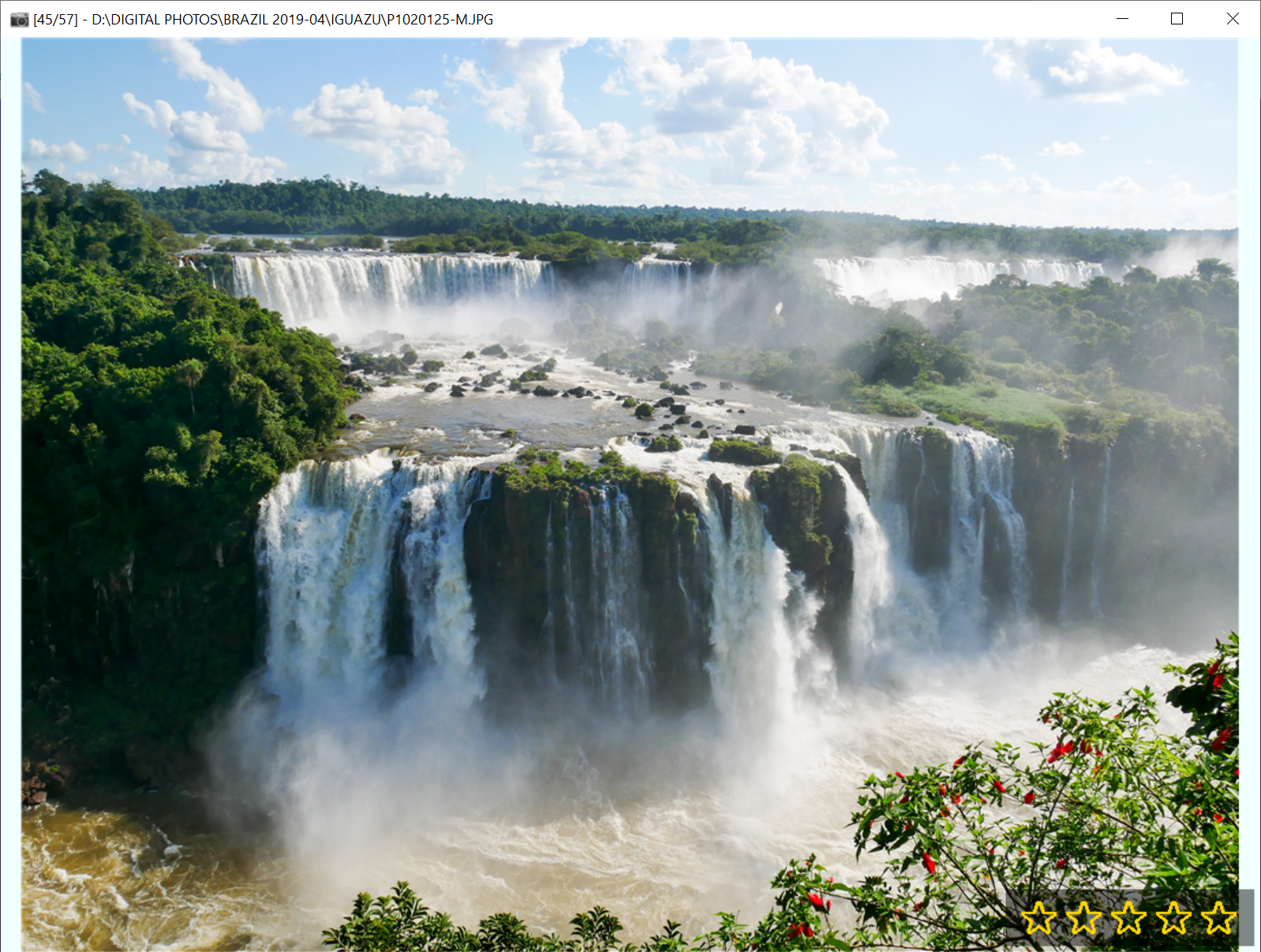
ImejFlip screenshot
Instant navigation
·
📦 Single EXE file
·
🗜 Browse inside ZIPs
·
Rate & filter photos
·
🔒 No cloud, no tracking
·
🆓 Completely free
Features

Built for speed.
Designed to disappear.

Every feature in ImejFlip earns its place. Nothing is added without a reason.

Smart Cache

Pre-loads the next and previous images in the background so navigation is instant — no waiting for disk reads.

📦
Single EXE

One file. Copy it to a USB drive, a network share, or your desktop. No installer, no registry, no dependencies.

📷
Modern Formats

Supports HEIC and WEBP natively using Windows' built-in codec — perfect for iPhone photos straight from camera roll.

Rate & Tag

Press 1–5 to assign star ratings as you browse. Save to a list file and reload later. Filter by rating in one keystroke.

🔍
Filter by Text

Type any word to instantly filter images by filepath or comment. Great for navigating large organised photo libraries.

🗜
ZIP Archives

Browse images directly inside ZIP files — no extraction needed. Drop a ZIP and navigate its images just like a regular folder.

🖥
Full Screen & Zoom

F11 for full screen. Press Z to open a 100% zoom window with click-to-pan — see every pixel of your photo.

🎞
Slideshow

Press F5 to start an automatic slideshow. Great for reviewing a shoot or displaying photos on a screen.

🧭
EXIF Overlay

Press X to show camera settings — shutter speed, aperture, ISO — overlaid directly on the image while you browse.

Every format
you actually use.

From classic JPEGs to modern iPhone HEIC files, ImejFlip handles them all — including images packed inside ZIP archives, streamed directly without extraction. HEIC and WEBP are decoded using Windows' native codec engine — no extra software needed.

JPG JPEG PNG BMP GIF TIFF TIF ZIP ★ HEIC ★ HEIF ★ WEBP ★

★ ZIP requires no extraction · HEIC/HEIF requires free HEIF Image Extensions from Microsoft Store

01

Open a folder or ZIP archive

Drag & drop, Ctrl+O, or pass a path on the command line. Drop a ZIP and ImejFlip reads its images directly — no extraction, no temp files.

02

Cache fills in background

While you view the first image, surrounding images are silently preloaded into memory on a background thread.

03

Navigate instantly

Arrow keys, scroll wheel, or spacebar. Cached images appear immediately — no visible loading delay.

04

Rate, filter and save

Tag your favourites with 1–5 stars. Filter by rating or text. Save your rated list as a file to pick up later.

Keyboard shortcuts

Everything at
your fingertips.

SpaceNext image
←→Navigate
HomeFirst image
EndLast image
1–5Assign rating
MToggle marker
Ctrl+MSave ratings
VFilter by rating
Ctrl+FSearch text
Z100% zoom
XEXIF overlay
F11Full screen
F5Slideshow
JShuffle
DelDelete to bin
Ctrl+OOpen folder
Ctrl+LOpen list
GGo to index
KCopy image
Ctrl+QQuit

One file.
Just works.

No installer. No account. No subscription. Just download and run.

⬇  Download ImejFlip

Windows 10 / 11 · Free · ~1 MB